SNES Game Jam devlog, for Love
Participating in SNES GAME JAM 2026
Start (GMT) : July 31st 2026 at 11:00 PM
Deadline : October 31st 2026 at 10:59 PM
I intentionally did not learn the tools ahead of time, but did familiarise myself with the hardware basics with Retro Game Mechanic Explained's youtube series
Tools used:
2026/08/01
Project started, pvsneslib installed.
I didn't do too much this day besides reading up on the hardware spec and finishing up another project I didn't want to leave in a messy state.
2026/08/02
Drew a 8 direction 32x32 car sprite. As no theme is specified and I want something that can be scoped easily, I intend this to be a top down "Crazy Taxi" kinda game.
2026/08/03
I laid out a basic game framework and have a car sprite driving around on the gamepad inputs;
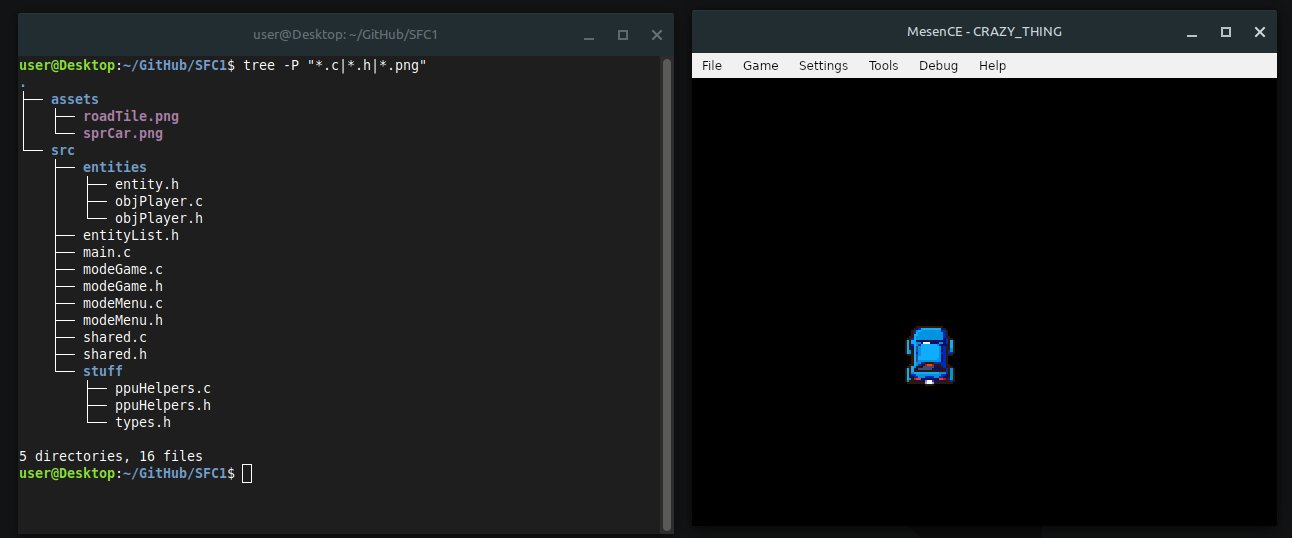
This is following my typical program layout, shared.c owns a GameMode U8 set to enum { MODE_GAME, MODE_MENU } (and more if needed) and the main loop uses that to select a simple function that sets up it's own needs, sticks into a loop and then tears itself down before handing control back.
void ModeGame()
{
    setupGameStuff();
    while(GameMode == MODE_GAME) { doGameStuff(); };
    killGameStuff();
}
Smaller systems in my software projects tend to follow a similar pattern with a very clear and simple data lifetime. It's space and speed efficient, although not strictly great software design as any game object with access to the right header can poke the GameMode variable to instantly end a game session, all state is very public.
For the sake of not overcomplicating it, most of the game will be composed of singletons and a lightweight entity slot system.
2026/08/04
Mostly engine work today and correcting a few of my assumptions about how the SNES sprite system works. The previous car sprite from yesterday was displaying because some mistakes lined up in a way that happened to work, adding a second sprite was a serious head-scratcher because I completely misunderstood the first one. Unlike the megadrive, which i'm comfortable working with, the SNES and this toolchain both assume that you've fully read the manual.
I'm considering writing some asset tools to help out, the pvsneslib supported path of manually breaking a sprite down and putting it in an include file manually, making sure it's all linked etc, is long winded and pretty annoying. In my Megadrive/32X project which is heavily customised to my wants and needs, I'm using a resource compiler branched from SGDK's where you create a resource file suffixed .res (enemies.res, levels.res) and fill with entries and their attributes, which are automatically encoded, chopped and compressed as a pre-build step, populating the right headers. I'd like to work in an environment like that, so I'm poking around with the existing tooling and figuring out how to shim something like that in between myself and the gfx4snes asset compiler.
Going forward, I'll be uploading ROM files when there's something noteworthy worth showing.
Setting, setting, setting, I want to SET my game somewhere. I've been toying with the idea of making a game inside an o'neill cylinder (See: Gundam, Next Senki Ehgeiz, Rendevous with Rama), a sci-fi (As in, real science, these could exist NOW if we really really really wanted one and had infinite money) concept artificial world where the habital volume is on the inside of a cylinder spinning at centrifugal speeds to create artificial gravity.
Basically, imagine a toilet roll tube with landscape on the inside, spinning at 2RPM. Or a "Halo" ring stretched lengthways into a cylinder.
This futuristic setting should also sufficiently explain the very slightly sci-fi design of the car with big thingies hanging off the sides where the wheels should go.
This would naturally let the game map wrap on one axis, which I've chosen to be X, so the players location can be quite tidily represented with a scrolling minimap display that loops at the sides;
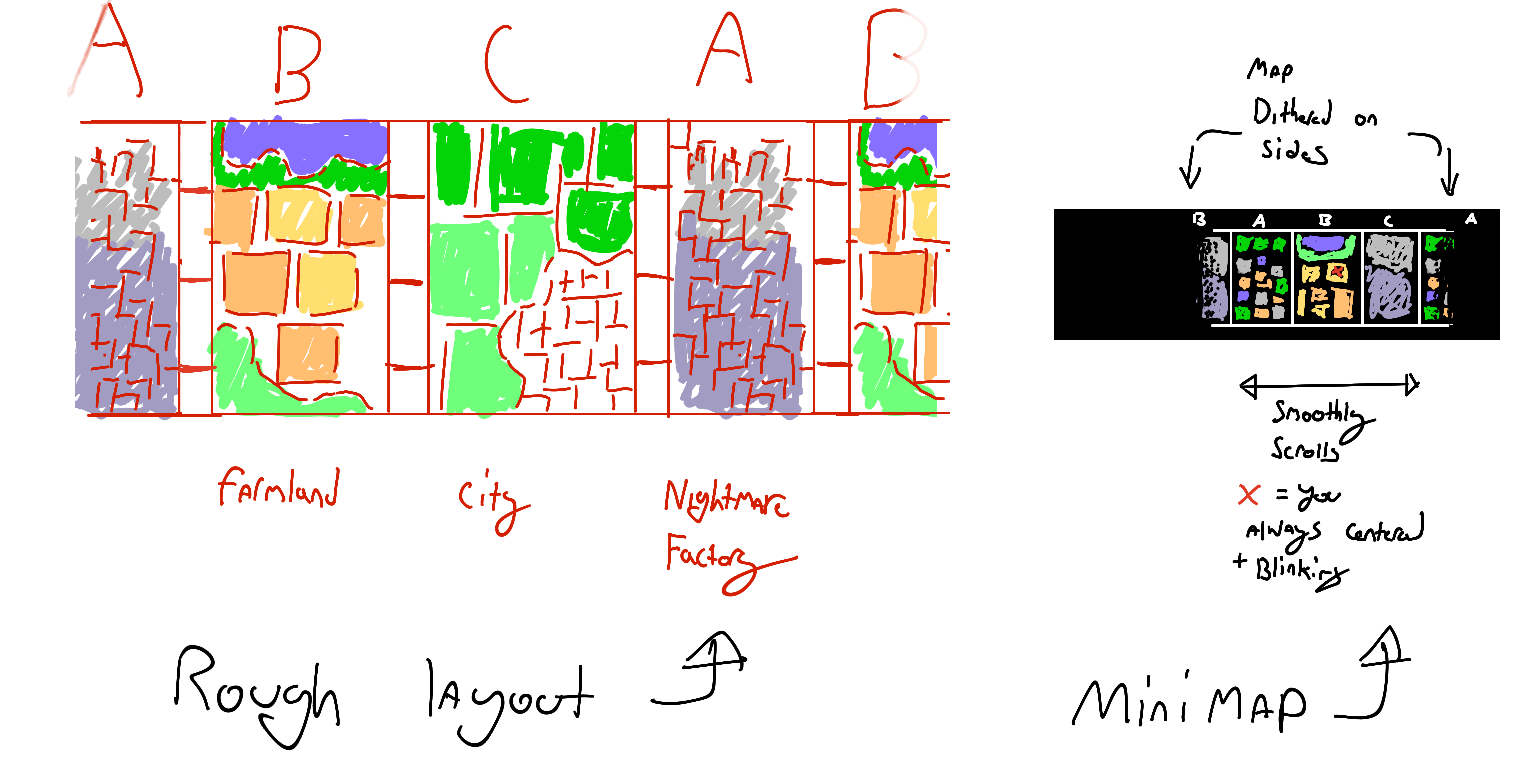
All 3 zones would be plainly visible, with the edges showing a bit of the loop with a dither fade effect applied ontop to blend it into the black status bar. I think it's a kinda neat concept.
World layout isn't final or really anything past a sketch, the concept I have in mind is loosely based on ZZ Gundam's Shangri-la colony, a cylinder that is long past it's prime with run down industrial sectors and trash heaps, a gross patina of grime over cutting edge 1980s concept technology, giant robots with a few nice lakes and meadows.
Rough mockup of the screen layout with the HUD included :
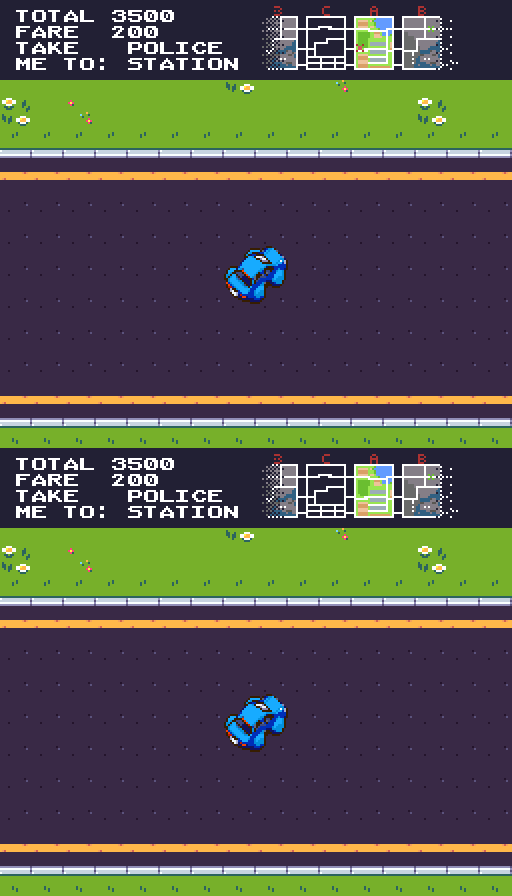
256x224 resolution, Tiles from : https://canarigames.itch.io/canaripack-8bit-topdown (purchased tileset as a placeholder, will replace with my own shortly)
2026/08/05
Today I ported a map scroller over from my Megadrive project (shh!). The SNES is thankfully not much different to in this regard despite the extra complexities, my map engine writes to a small buffer encoding tile the layout with some attributes and then pushes that to VRAM when crossing a scroll boundary. Movement is just poking the scroll position registers. The Moving the player and props to match the screen is like so; display.x = (sprite.x - camera.x);
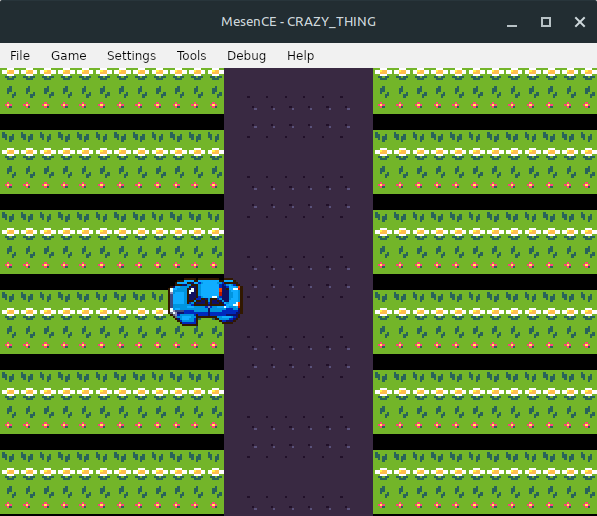
There's no actual map layout detail yet, it's writing a stable repeated pattern as you drive around.
There's a visual defect where the car position doesn't make any sense if you go off the top/left side of the screen, it disconnects from where it's sprite is positioned, this is because the player sprite is positioned on the screen, not in the world, partly as an optimisation and just to reduce judder when moving at odd angles, I'll have to fix that at some point...
The next step is designing a map format and figuring out the actual world layout. I believe the 512KB rom size limit is sufficient for 3-ish areas like I've put in the mockups, but I haven't landed on a specific may layout yet, and depending on how much space the rest takes up, it might need compressing. The SNES has a generous 128KB of RAM (don't laugh) and a 4096x4096 map is only 64KB (@ 1 Byte per tile, 16x16 tile size), so I don't have any particular fears of running out of ROM or RAM capacity.
2026/08/06
After getting some feedback for the player handling and chatting about controls with friends, I added a second more "modern" control scheme with steering instead of being able to control the direction directly.
The two modes are;
Direct Input
- up/down/left/right points the car in the desired direction
- acceleration is automatic, hold a direction and you GO
- release direction to stop slowly, counter-steer the existing movement to stop faster
Steering Input
- left/right turns the car
- buttons UP or A accelerate
- releasing rolls to a stop, button B hard brakes Pressing SELECT switches between the two modes. There isn't currently an indicator to what mode you're in, so you gotta feel it out.
Other changes today;
- Improved the map scrolling and streaming scheme, it now all fits comfortably inside the vblank period
Try it out! - ROM 26/08/06
2026/08/08
My immediate goal is being able to recreate that mockup image scroll up a bit, and a huge part part of that is the HUD, so I spent today and yesterday skimming hardware features and useful tricks, and decided to use the SNES's crazy cool HDMA system for this.
With HDMA, on any scanline, you can set properties, fiddle with settings, do all sorts of crazy tricks, for barely any CPU power! on the megadrive, this needs careful working with the consoles complicated and fiddly interrupt system to achieve the same, here you just load a list and it's almost automatic. Magic. On the Megadrive this would be using a WINDOW layer which is easy but has some limits and drawbacks.
This is setting the background mode to 0 at the top of the screen, then on the 40th line, a HDMA fires and changes the screen settings back to how I had them before. This is so cool, I'm going to wrap it in a proper API so other game systems can poke the list and hopefully I'll come up with some cool tricks along the way.
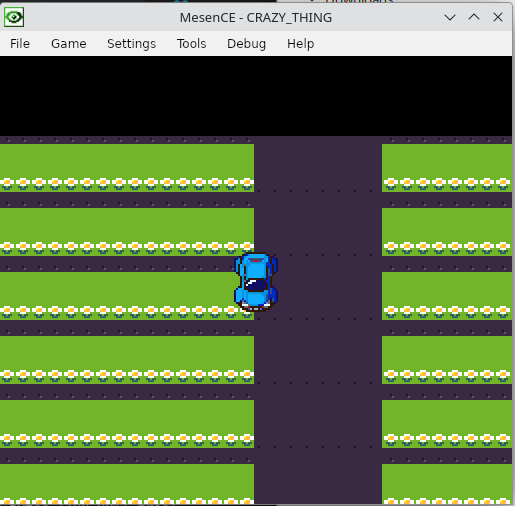
There's nothing in the black area because it's using an entirely different video mode that isn't set up properly, next stop is figuring out how to write tiles to it.